How to Automate Your Invoicing (And Never Chase a Payment Again)
Manual invoicing costs you hours every month. Here's how to set up automated billing with Miru's CLI and Stripe integration.
 Vipul A M · · 2 min read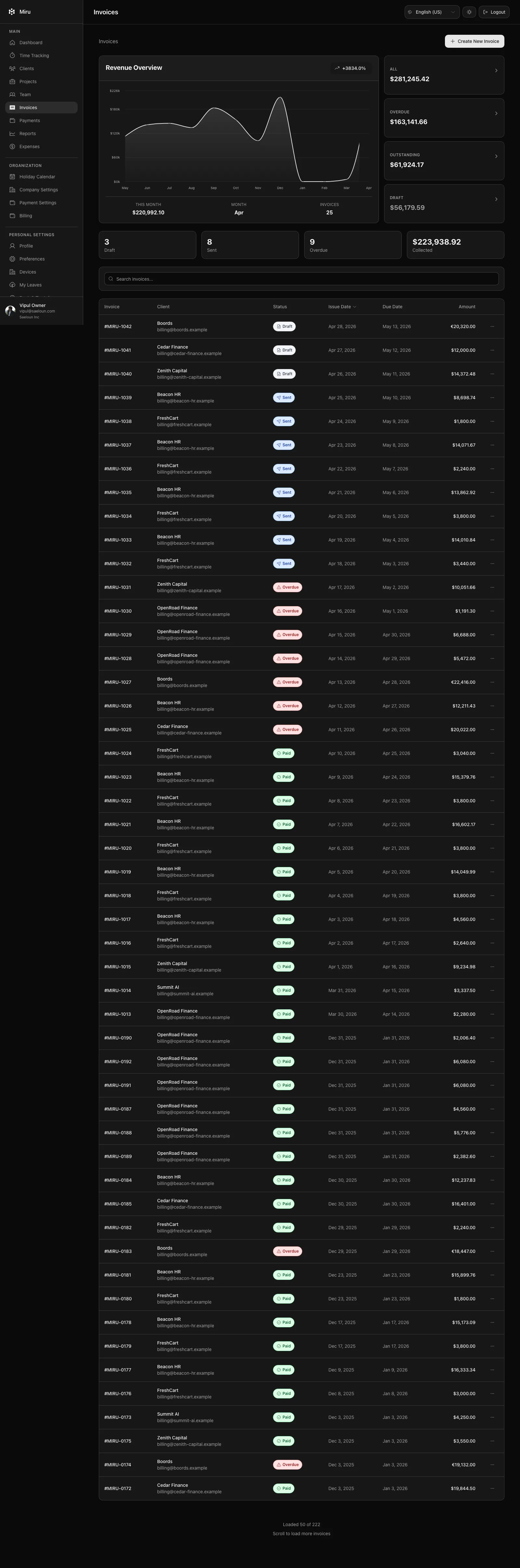
The automated invoicing workflow
Miru can generate invoices from time entries with one click. But the real power is in automating the entire billing cycle — from time entry to payment received. Here’s how.
Step 1: Track time consistently
Everything downstream depends on this. If time entries are accurate and tagged to the right project, invoicing is automatic. If they’re not, no automation saves you.
Set up your projects with the correct hourly rates. Assign team members. Make sure everyone tracks daily — timer, manual entry, or CLI. The weekly timesheet view catches gaps before they become billing problems.
Step 2: Generate invoices from the CLI
Miru’s CLI isn’t just for logging time. Create drafts with miru invoice create --client-id 7 --invoice-number INV-847 --issue-date 2026-03-31 --due-date 2026-04-30 --line-item "March services|Monthly retainer|2026-03-31|150|960", review with miru invoice list --status draft, and send with miru invoice send --id 847 --recipients billing@acme.com.
Step 3: Connect Stripe for online payments
Connect your Stripe account once. Every invoice Miru generates includes a payment link. Your client opens the invoice from the email, clicks “Pay,” enters their card, done.
Send the retainer invoice on the 1st; the client pays through the Stripe link.
Step 4: Send payment reminders
Not every client pays on time, even with Stripe links. Overdue? Click Send Reminder from the invoice list.
The full automation stack
Put it all together and your monthly billing workflow looks like this:
- Daily: Team tracks time (already happening)
- 1st of month: Cron job creates draft invoices for review
- Same day: Invoices are emailed to clients with Stripe payment links
- Retainer clients: The client pays through the Stripe link
- Non-retainer clients: Send Reminder from the invoice list when overdue, and see who has viewed the invoice before you chase
- Ongoing: Stripe payments mark the invoice paid; sync invoices and payments to QuickBooks Online
Your involvement: review the drafts and click send. Unless something unusual happens — a disputed amount, a rate change, a new client — that is the whole job.
The math
Let’s say you spend 6 hours per month on manual invoicing. At an effective rate of $150/hour (your time as a founder or senior person), that’s $900/month in opportunity cost. $10,800/year.
Miru for a 20-person team: $20/month. $240/year.
The automation pays for itself 45x over. And that’s before accounting for the faster payments — most teams see average time-to-payment drop from 25-30 days to under 10 when they add Stripe links and reminders.
Stop chasing invoices. Set up the system once and spend month-end reviewing drafts instead of typing them.
Hard Stop
Run this loop for two weeks without skipping cleanup. The compounding effect is real.
Start with Miru or read the docs.
Vipul A M
Co-founder at Saeloun. Building Miru. Rails contributor. Shipping from Pune, India.
Read next
Miru MCP Support Is Live: Agent-Ready Time, Invoices, and Expenses
Miru now ships first-party MCP support over HTTP and stdio with CLI parity, Pro gating, and safe write patterns for automation agents.
How to Bill Clients Without Losing Your Mind
A practical guide to client billing for agencies: time tracking, invoicing, expense management, and getting paid on time.
The Freelancer's No-BS Guide to Getting Paid
Track your hours, send professional invoices, and get paid without chasing. A practical guide for freelancers who'd rather do the work.
Put it to work
Run one cleaner billing cycle in Miru.
If this article is about tracking time, billing clients, comparing tools, or automating work, Miru is the product version of that idea. Start for $1/member, invite the team, and send the next invoice from tracked work.
What you get
- Time tracking, invoices, expenses, and payments in one place.
- $1 per member per month. Free if you self-host.
- Open source, with CLI, API, MCP, and self-hosting paths.
The article is the argument. Miru is the workflow.
Track the work, approve the hours, send the invoice, and get paid without bolting together three separate tools.